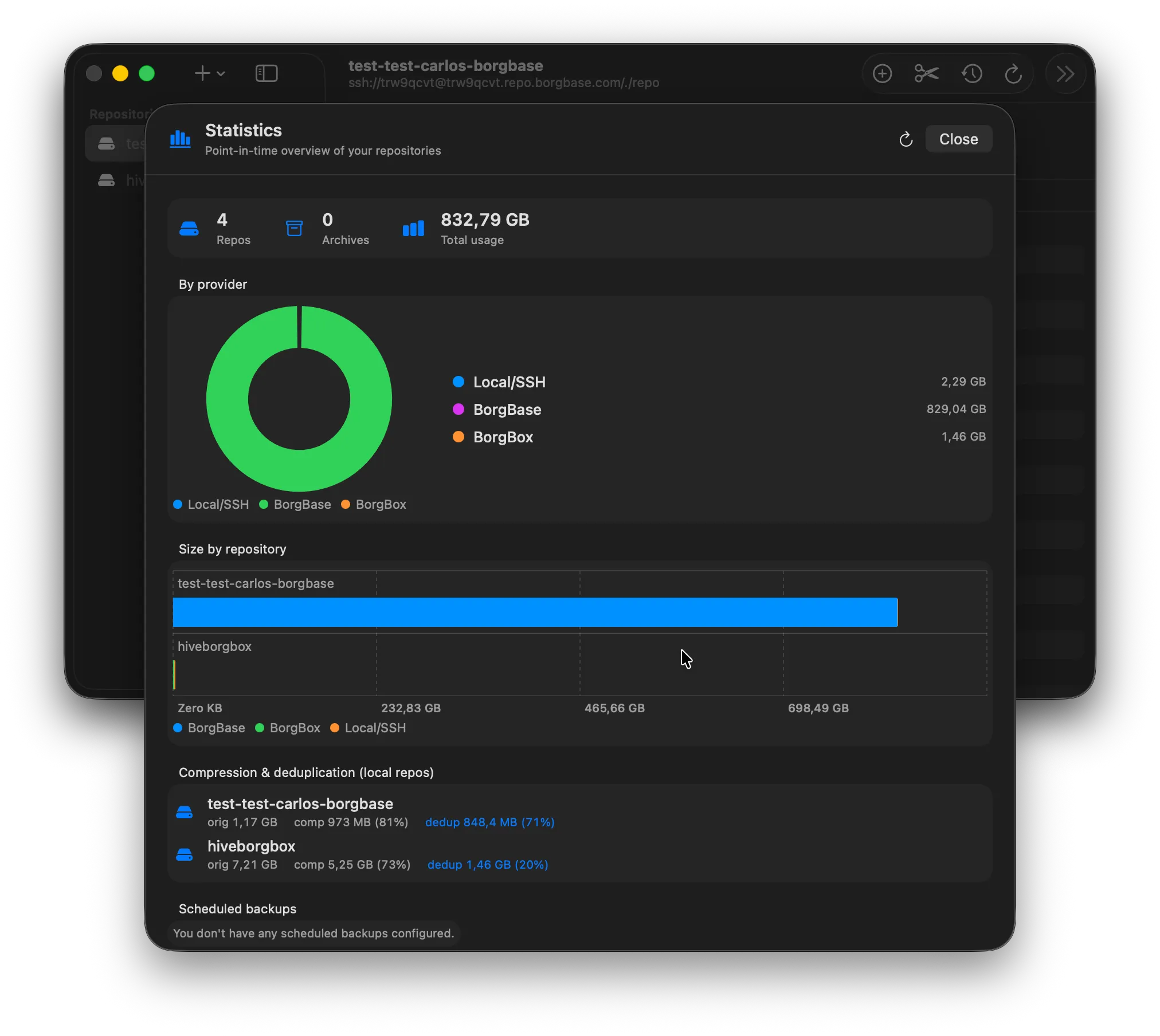
Cross-backend stats
Every repo, on one screen.
Point-in-time overview of every repository across Local, SSH, BorgBase and borgbox. Original size, compressed size, dedup ratio, schedule health — all in one place.
01 06
A native macOS client for Borg backup. Browse archives, run maintenance, track stats across every backend you use — Local, SSH, BorgBase, or self-hosted borgbox.
$ brew install --cask prietus/tap/borgmac
Universal binary (Apple silicon & Intel) · Free and open source, MIT · Source on GitHub
The walkthrough
Scroll through the surfaces that turn borg from a CLI you tolerate into a Mac app you actually open.
Cross-backend stats
Point-in-time overview of every repository across Local, SSH, BorgBase and borgbox. Original size, compressed size, dedup ratio, schedule health — all in one place.
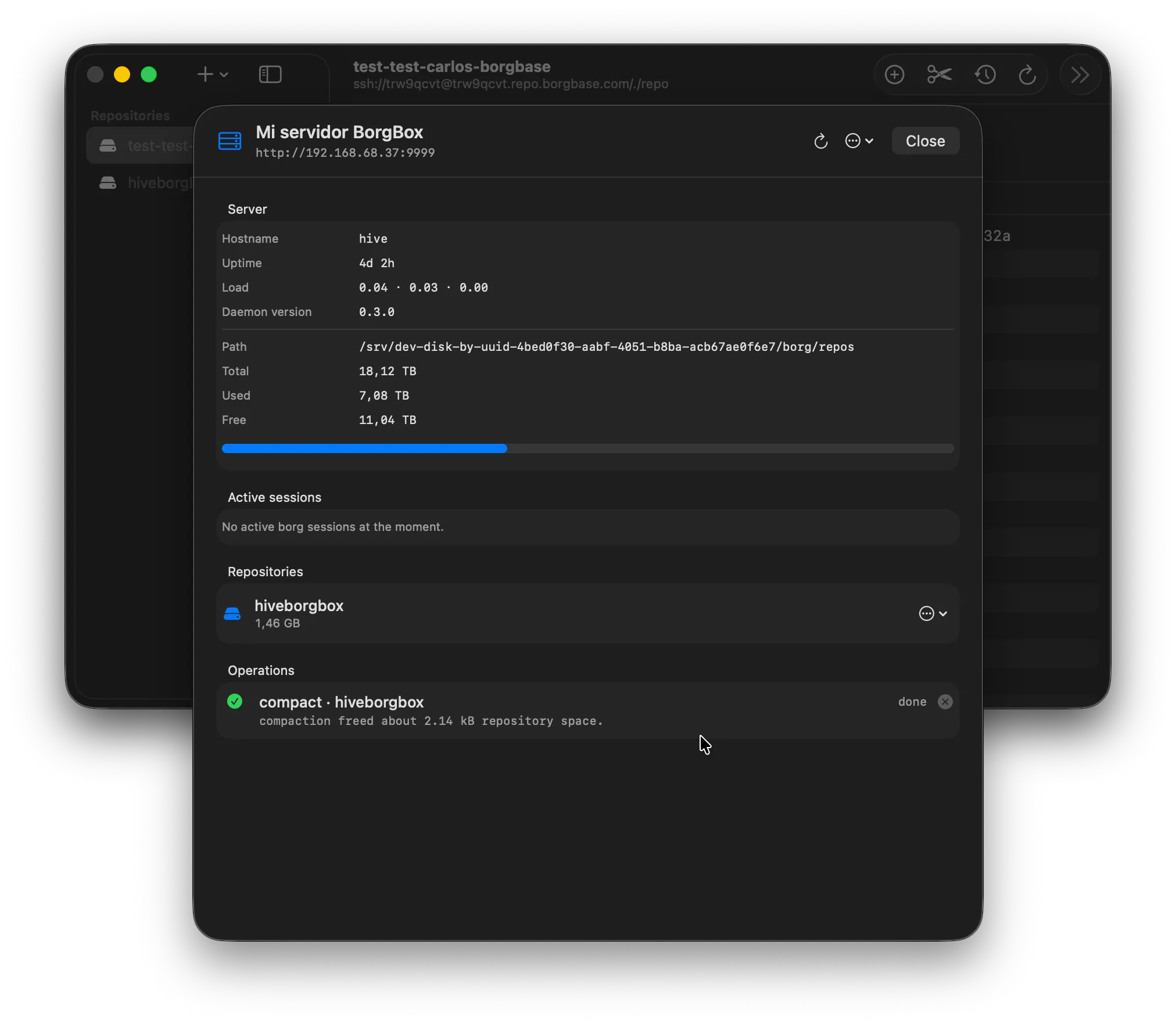
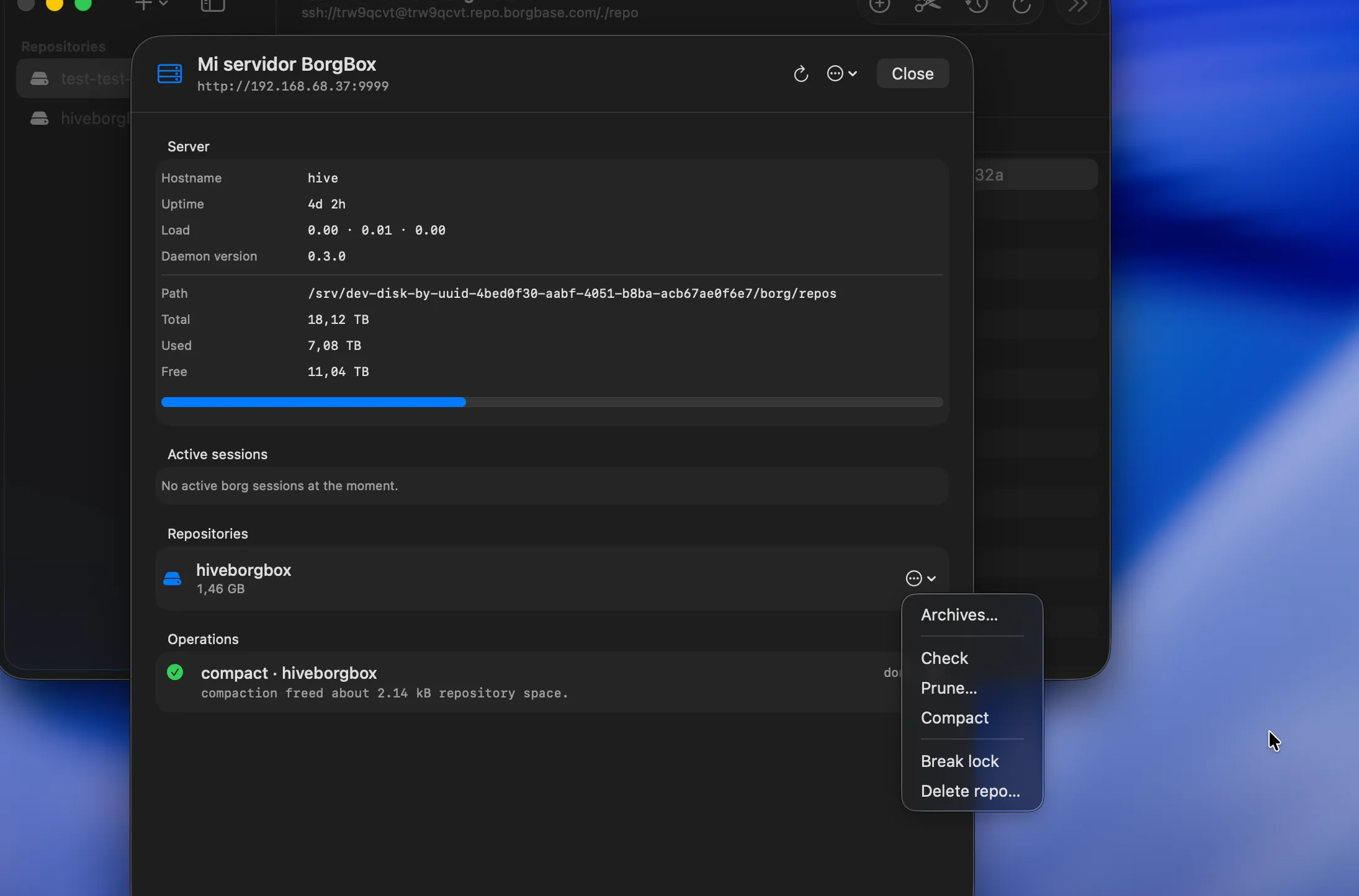
Server detail
For borgbox backends: hostname, uptime, load, storage headroom, active sessions and live maintenance jobs streaming from the daemon. Like a tiny ops console for your backups.
Archive browser
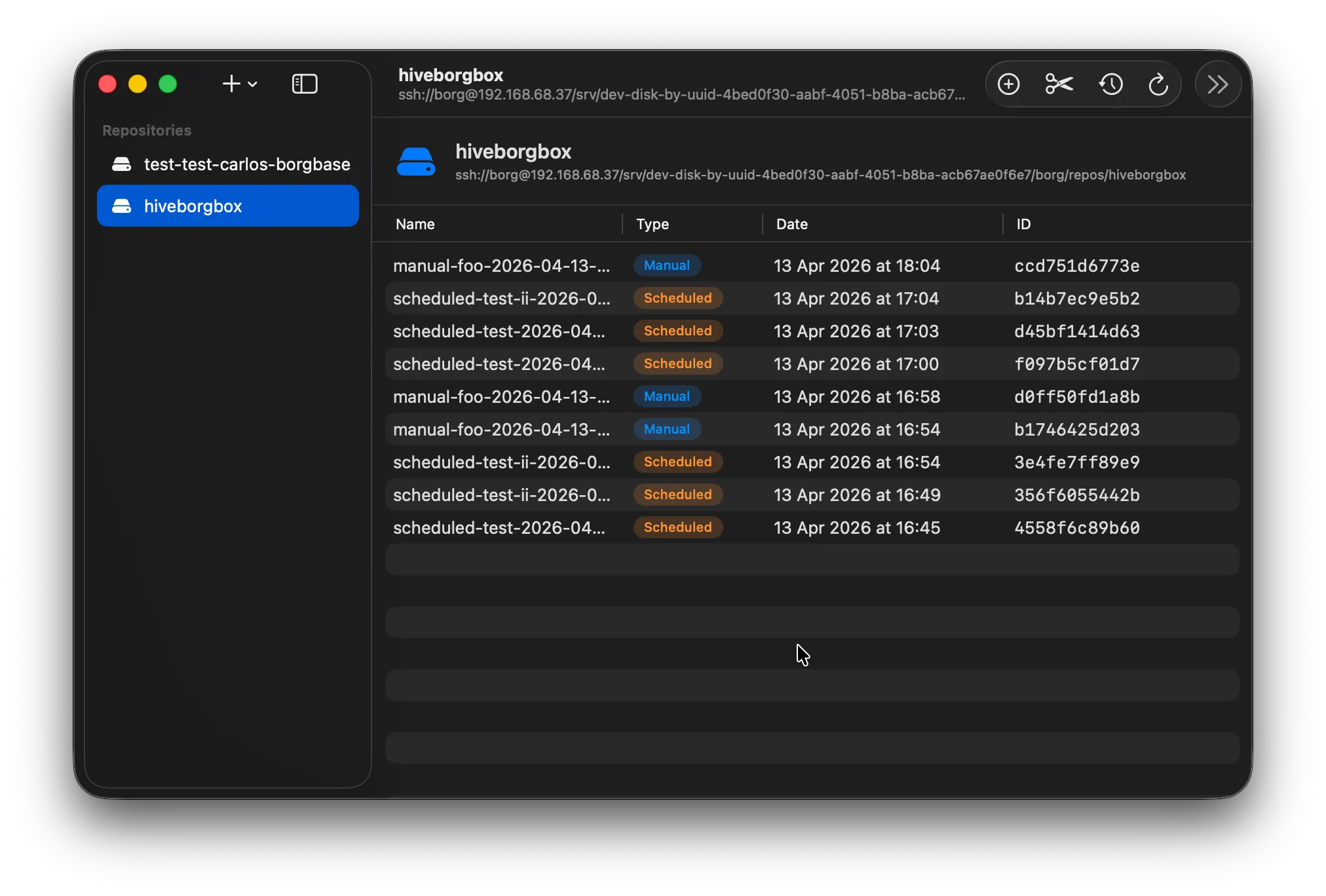
Finder-style tree for any archive on any backend. Restore individual files, analyse space, or mount the whole archive read-only over FUSE — without leaving the window.

Maintenance
Run every borg maintenance command without opening a terminal. Live log streaming, exit codes, status badges. The terminal is still there if you want it — but you almost never need it.
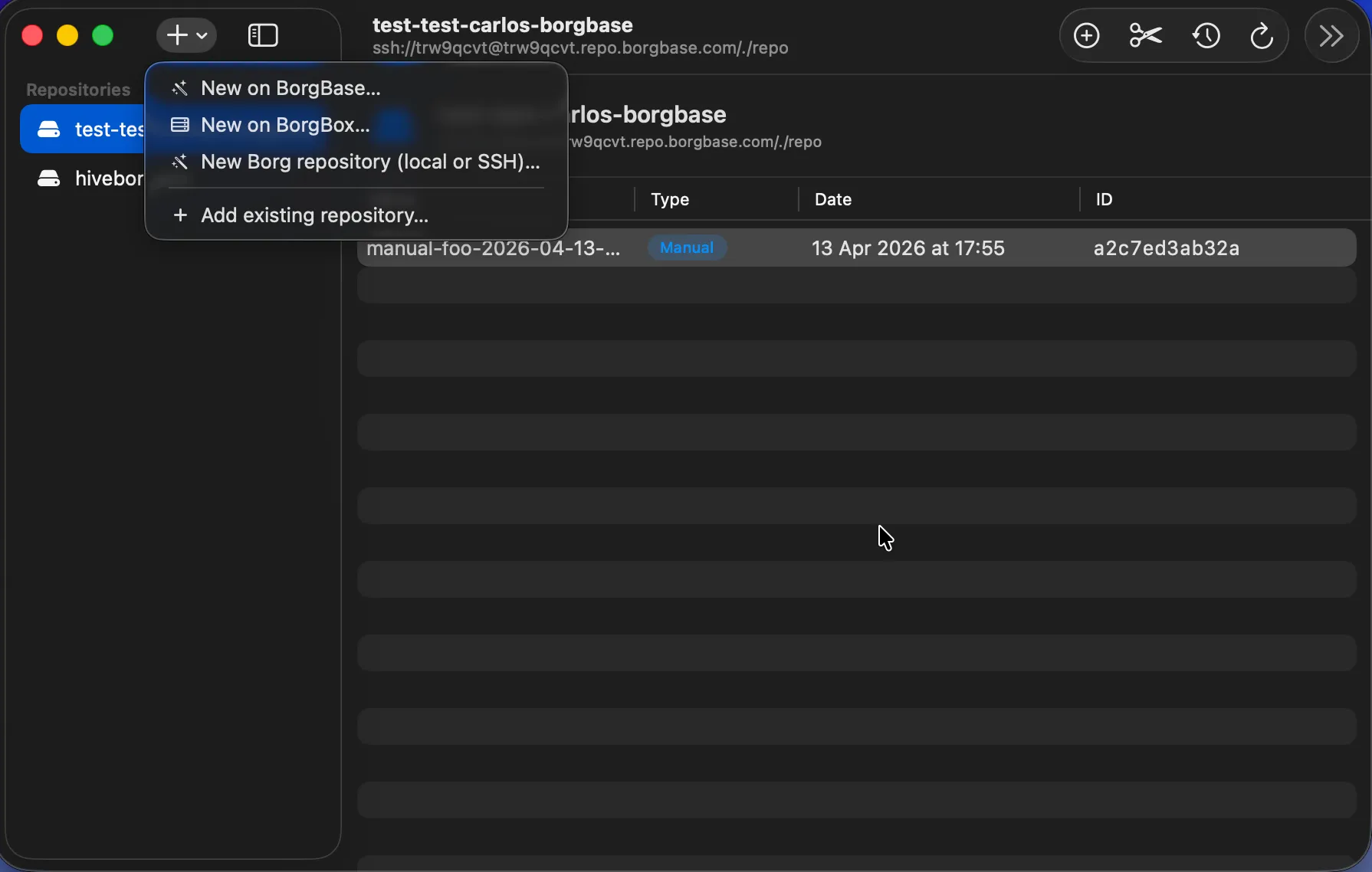
New repo
Create a repository locally, on SSH, on BorgBase, or on a borgbox-managed server. Or import an existing one with a single click. Same form, same fields, same Mac feel.
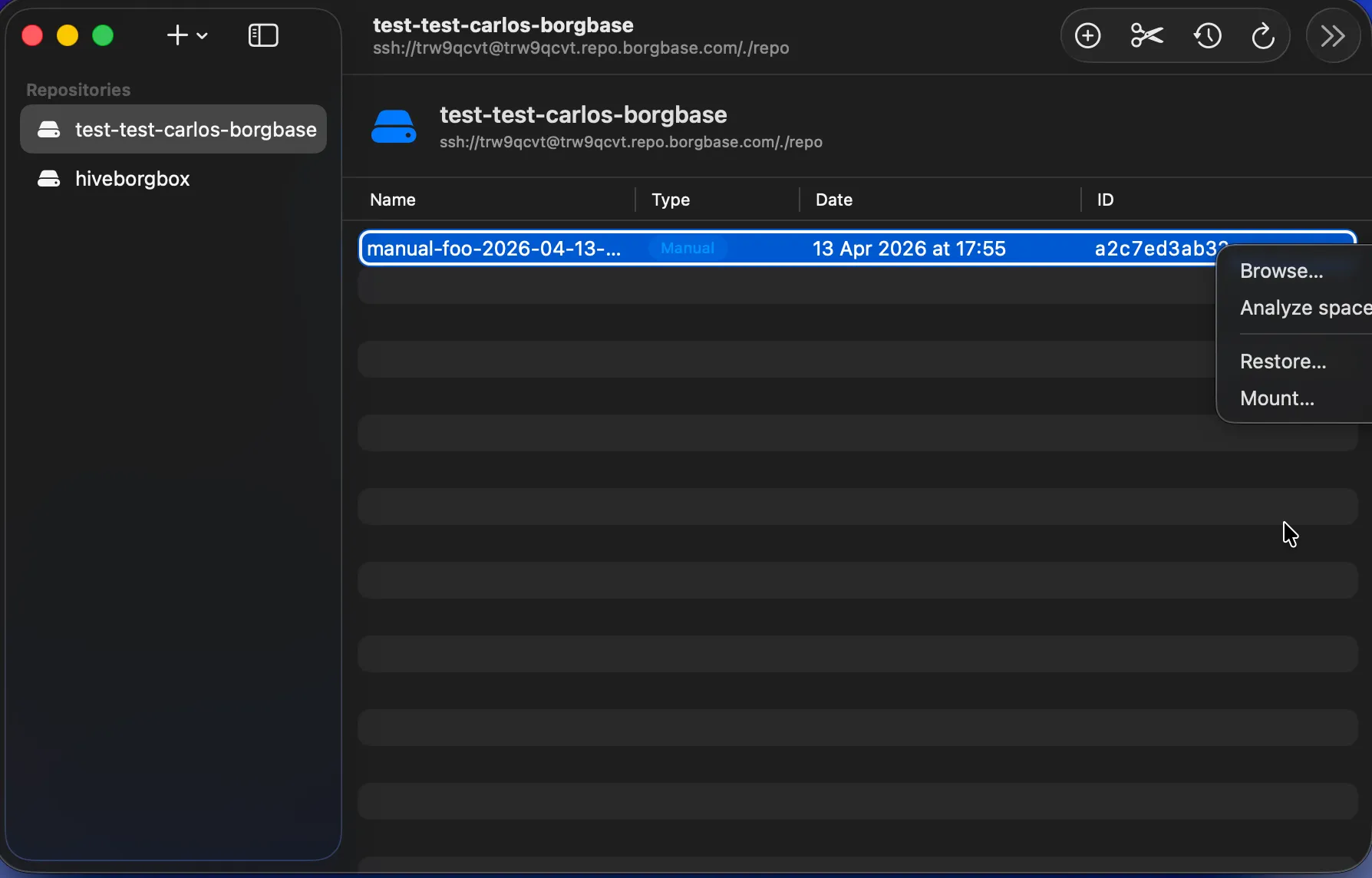
Right-click anything
Right-click any archive to browse, analyse space, restore or mount. Right-click any repo to check, prune, compact or break-lock. Every action is one gesture away.
Under the hood
borgmac doesn't reimplement anything. Every action you take in the UI fires the exact borg command you'd run by hand — with the exact same output, exit codes, and guarantees. We just made it nicer to watch.
What's inside
Everything the borg CLI does, plus the things it doesn't: a proper archive browser, live job logs, cross-backend stats, and a sidebar that remembers where your data lives.
Built entirely in SwiftUI for macOS 14+. Universal binary for Apple silicon and Intel, Developer ID signed, notarized and stapled. Feels like a Mac app because it is one.
Local folders, SSH, BorgBase SaaS, or self-hosted borgbox. One sidebar, one archive browser, one consistent UI.
Walk inside any archive with a Finder-like view. Restore files, analyse what takes space, or mount the archive read-only over FUSE.
Run check, prune and compact jobs from the UI, follow the live log, and track exit codes. No SSH, no tmux, no babysitting.
A dashboard summarising every repository: original vs deduplicated size, compression ratio, provider breakdown, and schedule health.
Self-hosting? borgbox pairs borgmac with a tiny HTTP daemon so you can create, import and monitor server-side repos from inside the app.
Optional add-on
borgbox is a tiny Go HTTP daemon that runs on any Linux box next to your borg repositories. Pair it with borgmac and you get a two-way, GUI-driven workflow: create repos remotely, stream maintenance job logs in real time, import existing directories with a click.
Totally optional. borgmac works just fine without it — borgbox is there for the people who want a real admin panel instead of SSH.
# one-shot install on any Linux box
$ curl -fsSL https://github.com/prietus/borgbox/\
    releases/latest/download/install.sh | sudo bash

# borgmac sees it over HTTP; no ssh copy-pasting
$ curl -H "Authorization: Bearer $TOKEN" \
    http://hive:9999/api/v1/repos
[
  {
    "name": "mac",
    "ssh_url": "ssh://borg@hive/srv/borg/repos/mac",
    "registered": true,
    "initialized": true
  }
]
Ready to go
Universal build for Apple silicon and Intel. Signed with Developer ID, notarized and stapled. Free and open source under the MIT license.
Homebrew installs the app and keeps it updated with brew upgrade. Or grab the zip and drag it into Applications: